
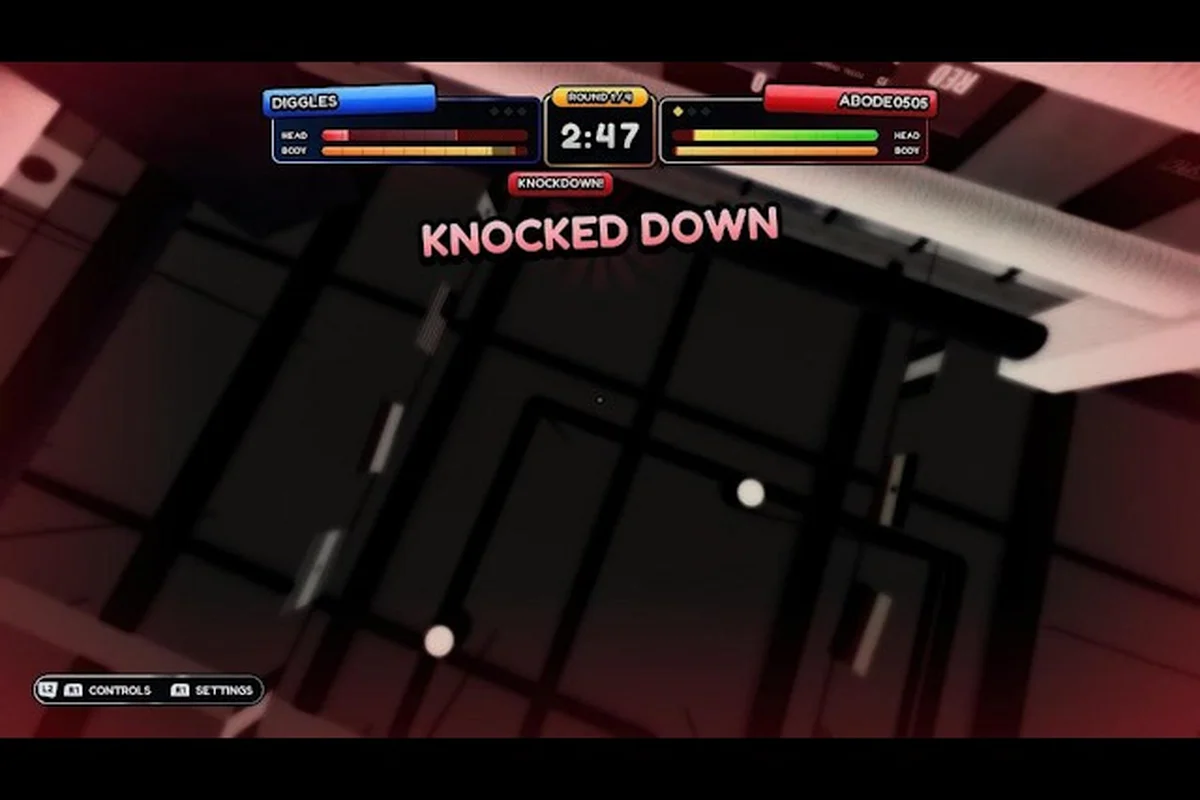
The first-person camera in First Person Boxing turns every input device into a different sport. A keyboard and mouse give you free aim and a wide turning arc; a controller gives you analog stick smoothing and a single-handed grip. Both can land clean knockouts, but the way they reach the same outcome is so different that switching between them mid-session feels like swapping fighters. This comparison covers where each input shines, where each one stumbles, and which one matches the way you actually want to box.
Why the Input Choice Matters in First Person Boxing
In a third-person brawler, the camera does most of the tracking for you. In First Person Boxing, you are the camera. That makes your input device the single most important control decision you will make. The official description lists five named mechanics: punches, slips, guards (split into head guard and body guard), counters that can lead to a knockout, and a stamina pool that slows you when it empties. Each of those mechanics asks for a slightly different input pattern. Punches want to be fast and direct. Slips want a flick of direction at the right instant. Counters want you to react to a punch already in motion. Stamina management wants you to release buttons cleanly so you do not drain the bar.
| Mechanic | Input pattern it asks for | Why first-person view changes the demand | Camera-tracking burden on the player |
|---|---|---|---|
| Punches | Fast, direct button press; no directional nuance | Must be thrown while the crosshair is already on target — the camera does not auto-aim | High — player controls both where the punch lands and when it fires |
| Slips | Flick of direction at the right instant | A slip is a camera move as much as a body move; missing the flick means walking into a punch | High — a missed direction flick visually teleports you into the opponent's fist |
| Head guard / Body guard | Held input (split into two separate buttons) | Both guards must be held at once against mixed attacks, so the input layout has to expose both at the same time | Medium — guard is positional, not reactive, but a dropped guard exposes the camera to a clean hit |
| Counters (lead to knockout) | React to a punch already in motion and time a return input | The counter window is read entirely off the first-person view of the incoming fist | High — counters are useless if the camera is not pointed at the attacker |
| Stamina pool (slows you when empty) | Clean release of buttons between actions | Holding buttons longer than needed drains the bar, and a slowed first-person camera amplifies the punishment | Medium — stamina drain is mechanical, but the slowdown penalty is felt through the camera first |
A keyboard handles the directional flicks naturally because each direction is a discrete key. A controller handles reaction-based inputs naturally because analog pressure and the bumper layout let you keep your thumb on a stick while your index finger guards. The published game description does not name any key bindings or button icons, so the analysis below focuses on how each device class behaves inside the five-mechanic framework rather than naming specific keys. For anyone who has not yet touched the controls layer at all, the controls hub on First Person Boxing is a useful starting point.
The Three Dimensions That Decide a Winner
Before comparing the two devices head to head, it helps to define the criteria. Most community discussions on input choice come back to three axes: reaction time, aiming precision, and combo execution. Every other difference between keyboard and controller is a downstream effect of those three.
| Dimension | What it measures | Why it matters here |
|---|---|---|
| Reaction time | How fast a player can register and act on a single event (a slip window, a counter opportunity) | The slip window and the counter window both open for a brief moment after a punch is thrown. Faster reaction = more confirmed counters. |
| Aiming precision | How cleanly the player can put a punch on the opponent's head hitbox while the opponent moves | The first-person camera does not snap to the opponent, so precise tracking is part of every exchange. |
| Combo execution | How reliably a player can chain multiple inputs (jab, cross, slip, counter) into a single round | Combos win rounds because stamina drains and the opponent cannot guard forever. |
What the Published Game Description Actually Confirms
Because the title launched on 28 September 2026 and is still being patched, the only authoritative facts about input behavior are the ones the developer has published. The official description confirms that the game has five named mechanics, that ranked mode exists, and that the experience runs on PC, mobile, and console. It does not publish any key bindings, button icons, or per-input reaction-time numbers. The analysis below is built on the published framework plus community reports from the in-game player base (about 2.3K concurrent players at capture), and it flags every claim that is not officially published.
Keyboard and Mouse: Free Aim, Fast Flicks
A keyboard plus mouse is the default control scheme on PC, and it is the scheme that most competitive Roblox sports titles are designed around. The reason is structural: a mouse moves a cursor in 2D space with no ramp-up and no maximum deflection, while a keyboard offers eight discrete directions that you can press simultaneously. Both of those properties change how a First Person Boxing round feels.
Camera Tracking on a Mouse
A mouse gives you a 1-to-1 mapping between hand movement and on-screen rotation. At low sensitivity, that is a sniper sight for lining up clean head punches. At high sensitivity, that is a flick stick that snaps from one side of the ring to the other. Most PC players reported in community threads that they sit somewhere in the middle, with a tracking sensitivity that lets them follow a circling opponent without overshooting every punch.
Mouse tracking also plays well with the way the camera in First Person Boxing is set up. The game uses a first-person view, which means the camera does not auto-follow the opponent the way a third-person camera does. You can find a full breakdown of the camera system in First Person Boxing in the dedicated settings guide, but the short version is that the camera is honest. If you do not aim it, the punch will not land. On a mouse, that honesty is an advantage because your hand is already on the input device that was designed for fine tracking.
Discrete Directional Inputs for Slips and Guards
Slips are directional dodges. On a keyboard, that means pressing one of the four (or eight, with diagonals) cardinal directions. Because each direction is a separate key, you can chain a slip into a counter without ever moving your thumb, and the discrete nature of the input means there is no analog ambiguity. The slip fires when you press, the slip ends when you release.
Guards work the same way. The head guard and the body guard are separate inputs, and the stamina cost of holding a guard is something the player can feel by listening to the stamina pool drain. A keyboard player can tap the guard, release, and re-tap with millisecond timing, which is a clean way to manage stamina without burning the bar in a single held press.
Where the Keyboard Stumbles
The keyboard's main weakness is combo chaining. The five named mechanics (punch, slip, head guard, body guard, counter) plus movement plus camera control can take eight or more unique keys. That is a lot of fingers on a small surface, and players who chain punches with a cross then a slip then a counter will sometimes find their left hand travelling further than their reaction time allows. A common community report is that combos feel great in practice mode but lag behind in live PvP because the hand cannot reach the next key fast enough.
The mouse, despite its precision, also has a weakness. It is too accurate. When the opponent throws a hook that arcs around the guard, the mouse can over-track and the camera ends up looking at the ropes. That is less of a problem in real boxing games than in shooters because the camera resets, but it is a real difference between a mouse and a stick.
Controller: Analog Smoothing, One-Handed Grip
A controller approaches the same five-mechanic system from a different angle. Instead of discrete keys, the controller offers analog sticks with a deadzone, analog triggers with pressure, and a four-button face layout that the thumb can rest on between inputs. The official description does not name any specific controller brand, but the game supports standard gamepads on PC and console, and the in-game button layout for gamepads is reachable from the settings menu.
Analog Stick Tracking and Smoothing
A controller stick is a 2D axis with a ramp. Push it halfway and the camera turns halfway as fast. Push it fully and the camera turns at maximum speed. That ramp is a smoothing layer that does not exist on a mouse, and it changes how a First Person Boxing round feels during a circling opponent. The stick does not snap; it glides. Many players describe that glide as feeling more natural, because the head does not snap in real life either.
The trade-off is precision at the edges. A mouse can hold a steady angle for as long as your hand can hold steady. A stick drifts back toward center the moment you relax, which means very fine tracking (lining up a counter punch through a narrow slip window) is slightly harder. The community workaround is to raise the deadzone so the stick does not drift, but raising the deadzone also reduces the smooth glide.
Bumper Layout for Slips and Counters
The controller's biggest structural advantage is the bumper layout. On a standard gamepad, the bumpers sit under the index fingers, which means the thumb can stay on the right stick (camera) while the index finger handles slip, counter, and guard inputs. The thumb never has to leave the stick to press a face button, which means camera tracking and combo input happen at the same time.
For players who chain a slip into a counter, that is a real benefit. The slip fires from the bumper, the counter fires from a different bumper, and the thumb is still on the stick to keep the camera on target. The same input on a keyboard requires the left hand to move from movement to a modifier key and back, which is a small but measurable delay.
Where the Controller Stumbles
The controller's two main weaknesses are precision at long hold and reach across the face buttons. The first weakness shows up during long guard holds. Holding a bumper for several seconds is comfortable because the bumper sits under a relaxed finger. Holding a trigger (which is often the stamina-heavy body guard on controllers) requires sustained pressure, and a tired index finger will gradually release the trigger. That is why community guides recommend mapping the stamina-heavy guard to a bumper rather than a trigger when the game allows it.
The second weakness is the cross-pad. Slips that require a diagonal direction (forward-left, back-right) are not natural on a controller, because the analog stick is continuous and the slip mechanic is looking for a specific direction. Players who rely on diagonal slips often remap, but a remap is not always allowed for every input.
Keyboard vs Controller: A Side-by-Side Comparison
The table below summarizes the comparison along the three dimensions that matter most. Both columns describe a competent player who has practiced on their chosen input; the goal is to show which dimensions each input biases toward.
| Dimension | Keyboard and Mouse | Controller |
|---|---|---|
| Single-tap reaction (slip window) | Fast on discrete keys | Fast on bumpers, slightly slower on face buttons |
| Camera tracking at mid-range | Excellent, 1-to-1 mapping | Smooth, but drifts if grip relaxes |
| Camera tracking at close range | Can over-track | Holds steady, easier to stay on target |
| Combo chaining | Limited by hand travel across the keyboard | Bumper layout keeps thumb on the stick |
| Stamina-heavy guard holds | Easy on any key, no fatigue | Comfortable on bumpers, tiring on triggers |
| Diagonal slips (forward-left, back-right) | Natural on WASD | Less natural on a stick, often remapped |
| Long session fatigue | Wrist and forearm fatigue from mouse tracking | Hand fatigue from sustained trigger pressure |
| Cross-platform parity (PC vs console) | Keyboard users only match other keyboard users | Controller users match console players directly |
The pattern that emerges from the table is that the two devices trade strengths. The keyboard wins on precision and discrete reaction inputs. The controller wins on combo chaining and long-session comfort. The middle of the table, where most rounds are actually won and lost, is closer than the extremes suggest.
Where Each Input Pulls Ahead in a Live Round
A live round in First Person Boxing is built from short exchanges: a jab, a slip, a counter, a guard, another jab. The exchange is short, often under two seconds, and the input that wins the exchange is the one that lets the player react to the opponent's tell before the punch lands. On a keyboard, that reaction is a direction key. On a controller, that reaction is a bumper press. Both are fast. The difference shows up in the next half-second: the player who can fire a counter while keeping the camera on target wins the exchange, and the player who has to take a hand off the camera to fire the counter lands the counter but loses tracking.
For players who plan to play on both PC and console, the controller is the more transferable input because the button layout on console is the same as on a PC gamepad. The keyboard is PC-only, and switching back and forth between a keyboard and a console controller every session adds a layer of relearning that does not exist when the player uses a controller on both platforms.
Picking the Right Input for Your Playstyle
The right input is the one that matches how you want to play, not the one that a leaderboard says is best. The game has ranked mode, and competitive players will gravitate toward whatever input gives them the most confirmed counters, but the difference between the two at high level is small enough that personal comfort matters more than input class.
Keyboard Fits Players Who
-
Already play precision games on PC and have a tuned mouse sensitivity
-
Prefer the discrete feel of a slip as a single key press
-
Want the lowest possible cost of entry (a keyboard and mouse are usually already on the desk)
-
Plan to play primarily on PC and not on console
-
Practice combos that involve a single hand chain on the keyboard (jab, cross, slip)
Controller Fits Players Who
-
Play on both PC and console and want one input for both
-
Prefer analog stick smoothing for camera tracking during circling opponents
-
Chain combos that fire from the bumpers while the thumb stays on the right stick
-
Have a longer planned session length and want to avoid wrist fatigue from mouse tracking
-
Already own a gamepad and have tuned the deadzone to their grip
A Practical Switching Plan
For players who want to try both inputs, the cheapest experiment is one ranked session on each. Practice mode is a useful warm-up because it isolates the five-mechanic framework, but it does not test reaction time under pressure. Ranked mode is the only mode that exposes the player to opponents who are also trying to win, and the player's own input comfort shows up fastest under that pressure. Players who are undecided after one session of each should run a second session, because the first session is dominated by relearning and the second session shows the true comfort level.
The beginner guide to First Person Boxing walks through the first-hour order of operations and pairs well with this comparison, because the early-game habits a player builds on the wrong input are the hardest to retrain later. Picking the right input before the player builds muscle memory is a small step that pays off in the long run.
Fine-Tuning Your Chosen Input
Whichever input you pick, the next step is tuning. The official description does not publish the optimal settings, so the tuning below is community consensus, not a developer recommendation. The community reports are based on the input settings menu, which is reachable from the main menu on every platform.
Mouse Sensitivity and the Tracking Sweet Spot
For keyboard players, the first setting to tune is mouse sensitivity. The community consensus is that the right sensitivity is the lowest one at which the player can still turn 180 degrees in roughly the same time it takes the opponent to throw a hook. Higher than that, the camera over-tracks. Lower than that, the player cannot catch up to a circling opponent. Most community reports place the tracking sweet spot in a fairly wide range, because mouse DPI varies by hardware, but the principle is the same: fast enough to track, slow enough to hold steady.
Stick Deadzone and Bumper Mapping for Controllers
For controller players, the first setting to tune is stick deadzone. A high deadzone eliminates drift but also eliminates the smooth glide at the edge of the stick. The right deadzone is the lowest one at which the stick does not drift when the player takes their thumb off, which usually means tuning in a practice session and then forgetting the setting. The second setting is bumper mapping. If the game allows the stamina-heavy guard (often the body guard) to be remapped from a trigger to a bumper, that remap is a clear quality-of-life improvement because it removes the trigger-fatigue problem during long sessions.
Graphics Settings That Quietly Affect Input
Graphics settings do not change how the input device works, but they change the visual frame the input is responding to. A low frame rate makes the camera stutter, which makes mouse tracking feel jerky and stick smoothing feel sluggish. The community consensus is that a stable frame rate matters more than a high frame rate, so capping the frame rate to a value the machine holds cleanly is a better choice than uncapping and dropping frames. The graphics settings are not officially published as a recommendation, but the camera and settings guide covers the relationship between frame rate and input feel in more detail.
The controls and combat mechanics for the title are documented on its official page, where you can review the supported input methods and core gameplay loop directly on the First Person Boxing game page on Roblox.
Input Settings You Should Not Touch Yet
There are two input settings that new players often try to tune before they have built the muscle memory to feel the difference: the input method for the slip and the input method for the counter. Both are best left at default for the first ten hours, because changing them trains the wrong reflex. Once the player has played enough ranked rounds to feel the slip window and the counter window as natural events, a remap is a meaningful optimization. Before that, a remap just adds a layer of relearning on top of an already-new game.
Frequently Asked Questions
Is keyboard and mouse better than controller in First Person Boxing?
Neither input is universally better. Keyboard and mouse offer faster discrete reactions and more precise camera tracking, while controllers offer smoother camera movement, easier combo chaining from the bumpers, and the ability to play on both PC and console with the same layout. The right pick depends on your platform and your preferred playstyle.
Does the game support controllers on PC?
The game supports standard gamepads on PC, and the in-game button layout for gamepads is available from the settings menu. The official description does not name a specific brand. The full breakdown of controller support and console controls in First Person Boxing is in the dedicated controls guide.
Should I switch inputs after ranking up?
Switching inputs resets muscle memory for the slip, counter, and guard timing, so a switch is most useful before ranked play begins. Players who have already ranked up on a keyboard can switch to a controller for casual practice mode first, then move to ranked once the bumper layout feels natural. The reverse is also true, with the added benefit that keyboard players do not have to relearn a stick's analog ramp.
Do pros use keyboard or controller?
The game launched on 28 September 2026 and is still being patched, so no official pro scene has formed yet. Community reports from the player base (about 2.3K concurrent players at capture) suggest a roughly even split between the two inputs, with the keyboard slightly more common on PC and the controller dominant on console.
Can I use the same input settings on mobile and PC?
No. Mobile uses a touch surface that is laid out differently from both keyboard and controller, so input settings do not transfer. The mobile layout is covered in the mobile touch controls guide for First Person Boxing, and the touch layout has its own sensitivity, comfort, and button placement options that do not apply to a keyboard or a gamepad.